

Summary
Discussion about the Multiple Launches setting "Prevent multiple launches of an installer at a given time".Synopsis
This article discusses the multiple launches setting "Prevent multiple launches of an installer at a given time" using InstallAnywhere.
Discussion
The Prevent Multiple Simultaneous Launches of an Installer or Uninstaller prevents multiple launches of an installer at any given time. This setting is located in the Project > Info > Multiple Launch Settings section.
This is available at Project > General Settings > Project Information > Prevent Multiple Simultaneous Launches of an Installer or Uninstaller.
Installer designers can set this setting to "Yes" to prevent users from launching the same installer or uninstaller multiple times simultaneously. This setting is set to "No" by default in a new project.
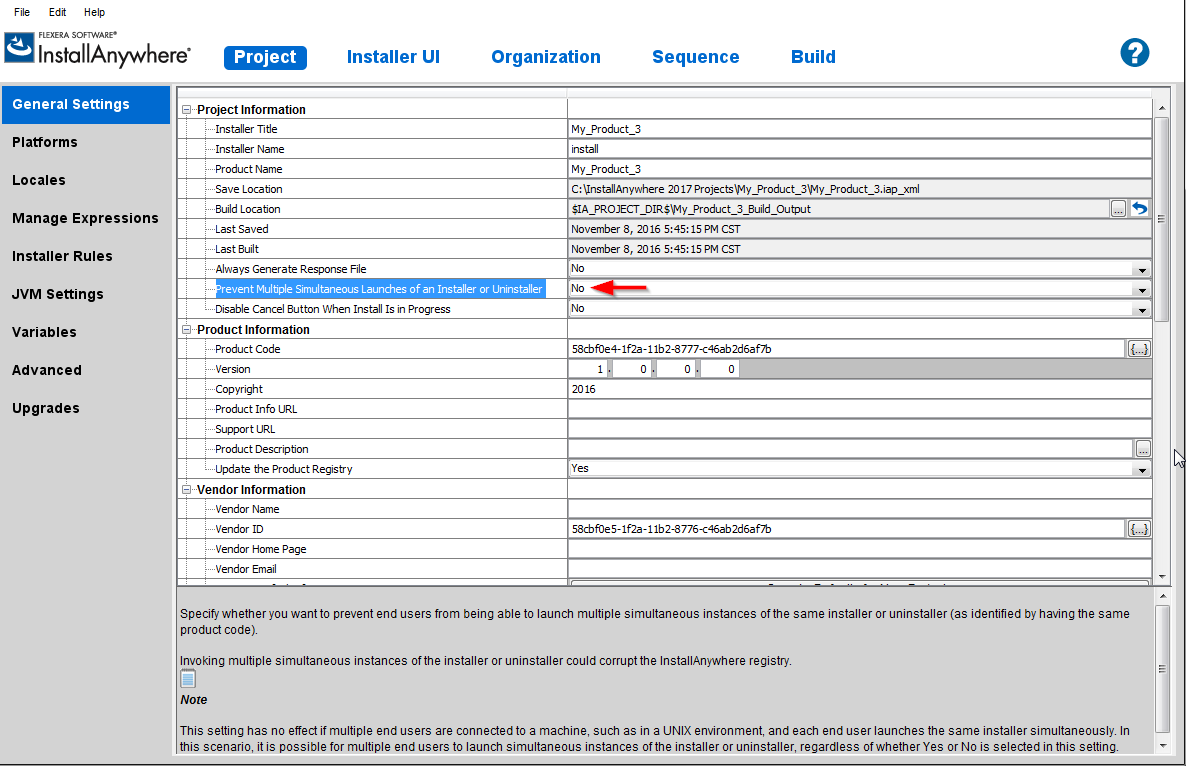
Installer designers can set this setting to "Yes" to prevent users from launching the same installer or uninstaller multiple times simultaneously. This setting is set to "No" by default in a new project.
Running the installer with the above setting enabled will allow the installer to be run only once at any given time. If the same installer is launched again at the same time, the user will receive the following message from the installer. Clicking ?OK? on the error message will quit that instance of the installer.
The installer log will also show:
Exception occured while attempting to release IA lock file
Showing multiple launches not allowed dialog
When running an installer that does not allow launching multiple instances of an installer at a given time, a .tmp file is written to the user?s HOME directory by the installer. The file is named using the ?Product ID? number found in Project > Description section. In newer versions of InstallAnywhere, it is present in Project > General Settings > Product Information. So, if the Product ID in the project with which the installer is built is 92762c58-1f08-11b2-a408-8083360130b5, the file created in the user?s HOME directory is named ?92762c58-1f08-11b2-a408-8083360130b5.tmp?. This .tmp file is created when launching the installer for the first time, and is removed after install is complete or the installer exits. If during this time, the same installer is launched a second time, the installer will check for this file and, if it is present, the installer will display the above error message.
Additional Information
Checking the above setting in the project also applies to the uninstaller installed by the installer.
Was this helpful?






0/255
Upload Attachment
File Upload
Maximum file
size allowed is 3 MB.
Supported file types:
Documents (.txt, .doc, .docx, .pdf), Images (.jpg, .png), Comma Separated Files
(.csv) Speadsheets (.xlsx, .xls)
Are you sure you want to cancel the case creation?
Case closed successfully
File Upload
Maximum file size allowed is 3 MB.
Supported file types:
Documents (.txt, .doc, .docx, .pdf), Images (.jpg, .png), Comma Separated Files
(.csv) Speadsheets (.xlsx, .xls)
Are you sure you want to close this case
| Products | Region | Phone Numbers |
|---|---|---|
| FlexNet Operations FlexNet Embedded FlexNet Publisher FlexNet Connect FlexNet Code Insight InstallAnywhere InstallShield |
North America * |
+1 630-332-2513 (toll) +1 877-279-2853 (toll-free in North America) |
| Europe * |
+44 1925 944367 (toll) +44 800 047 8642 (toll-free in Europe) |
|
| Japan * | +81 3-4540-5335 (select option 2) | |
| Australia * |
+61 3 9895 2177 +61 1800 560 603 (toll-free in Australia) |
|
|
Usage Intelligence (formerly
Revulytics) Compliance Intelligence |
Please use the Case Portal to submit your support ticket or reach out to your Revenera contact. | |
File Upload
Maximum file
size allowed is 3 MB.
Supported file types:
Documents (.txt, .doc, .docx, .pdf), Images (.jpg, .png), Comma Separated Files
(.csv) Speadsheets (.xlsx, .xls)
Revenera Assistant



Case id: 00001065
Activity: Status change: 2 hours ago