

Summary
This article provides the steps to change the admin password or the ESI's token service.
Synopsis
You want to change or reset the password of the admin account or the ESI's token service for Spider.
Discussion
To change the admin password or the ESI's token service please follow these steps:
- Open a webbrowser and navigate to the following address:
http://<esi-host>:7048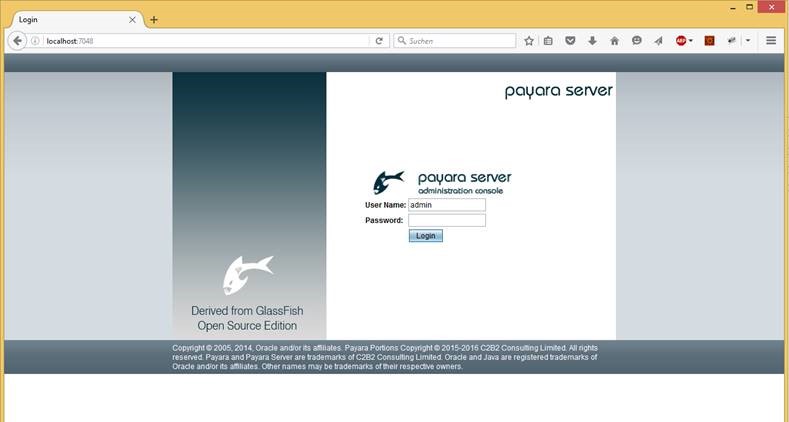
- Log in with the username admin (case sensitive!) and the password for ESI application server admin accounts you have been setting during the installation of brainwaregroup ESI SetupsINFORMATIONIf the password has been lost the automatically generated one-time-password can be used but this needs access to the ESIs file system
C:\Program Files (x86)\ESI\3rdparty\payara-4.1\glassfish\domains\index\config\local-password
This file contains a password that can be used once and will be re-generated each time the service starts - Changing the admin password
After the log in navigate to /server-config/Security/Realms/admin-realm in the lefthand trree and click on Manage Users (5)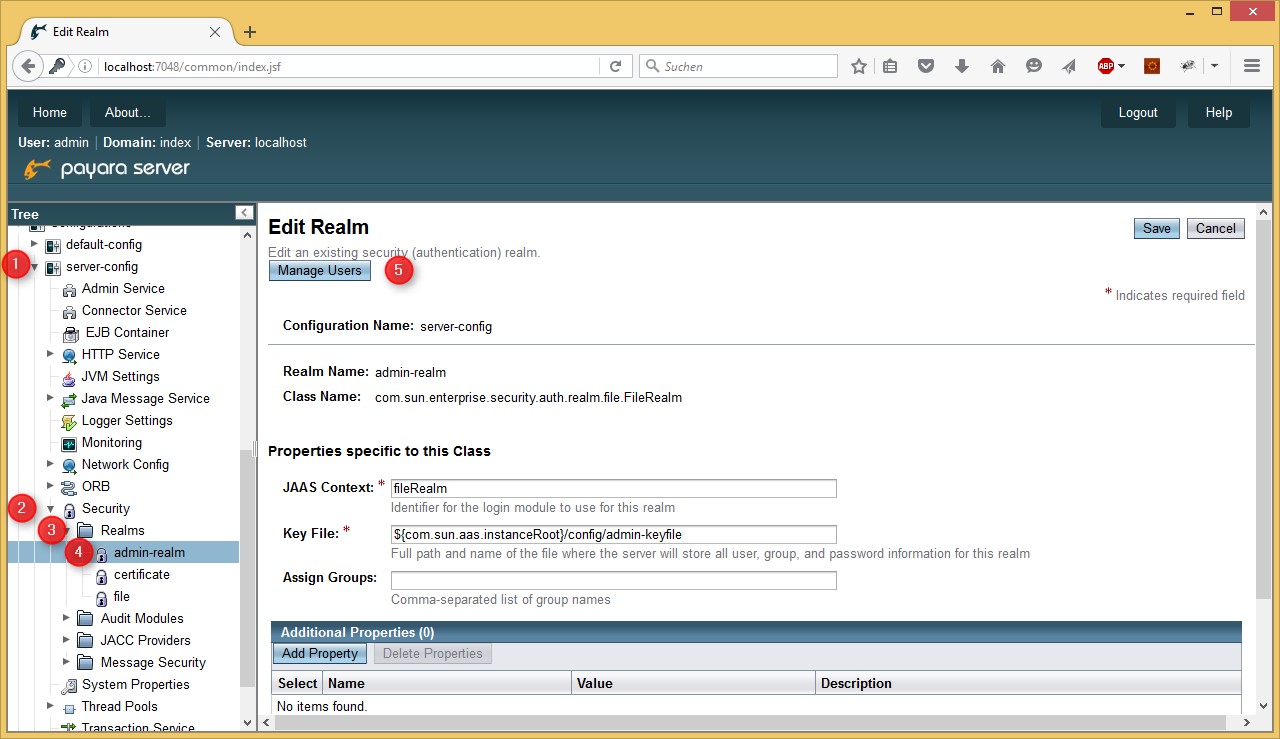
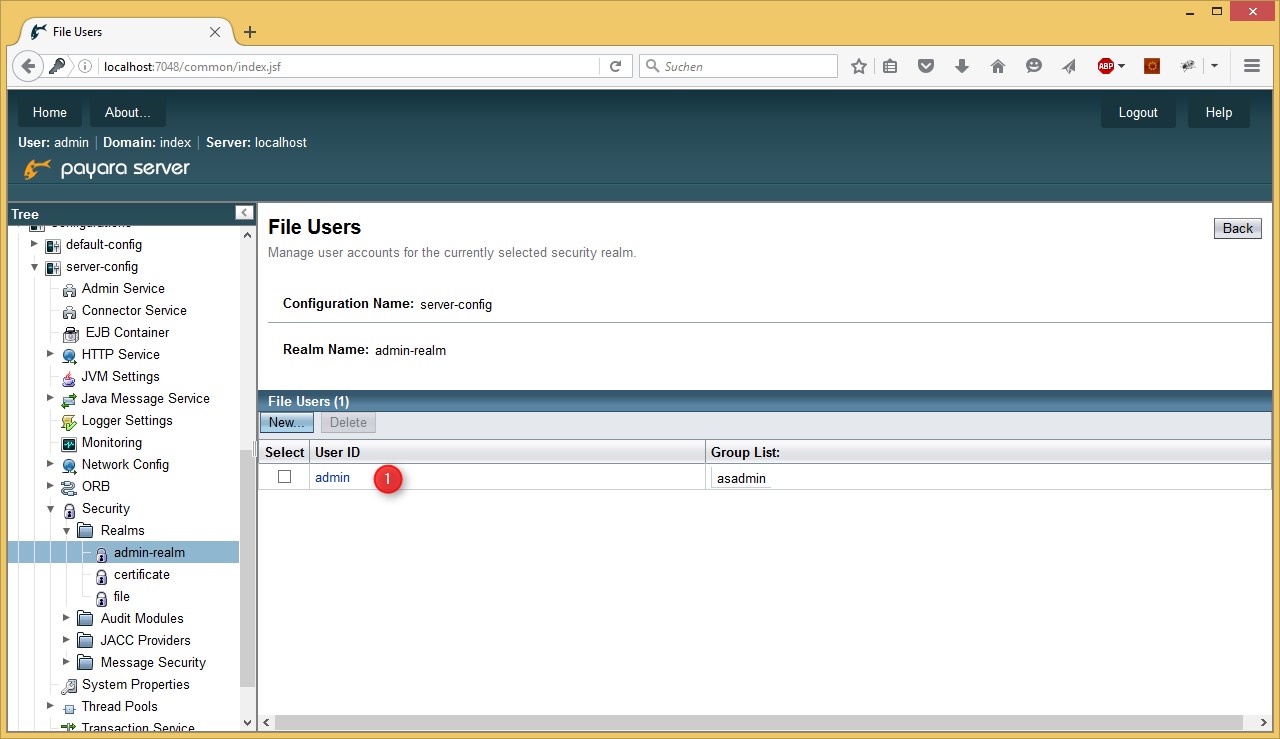
- Select the admin account from the File Users list
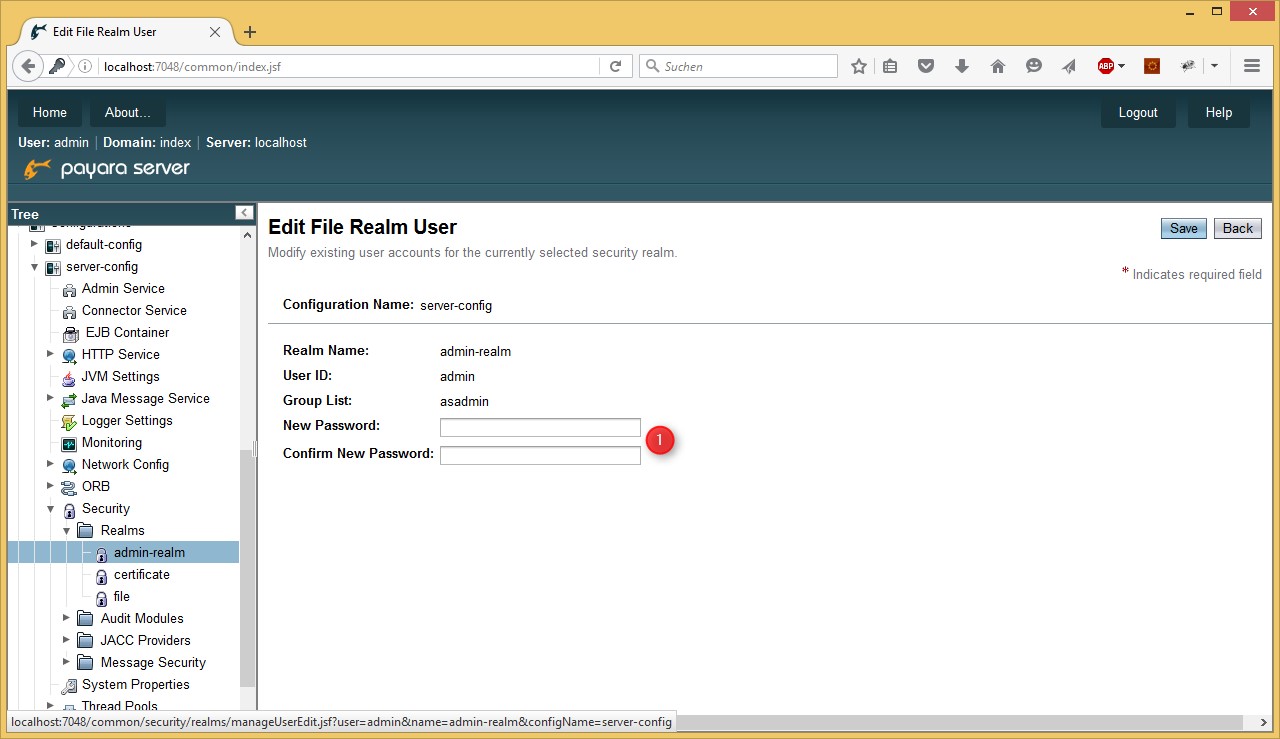
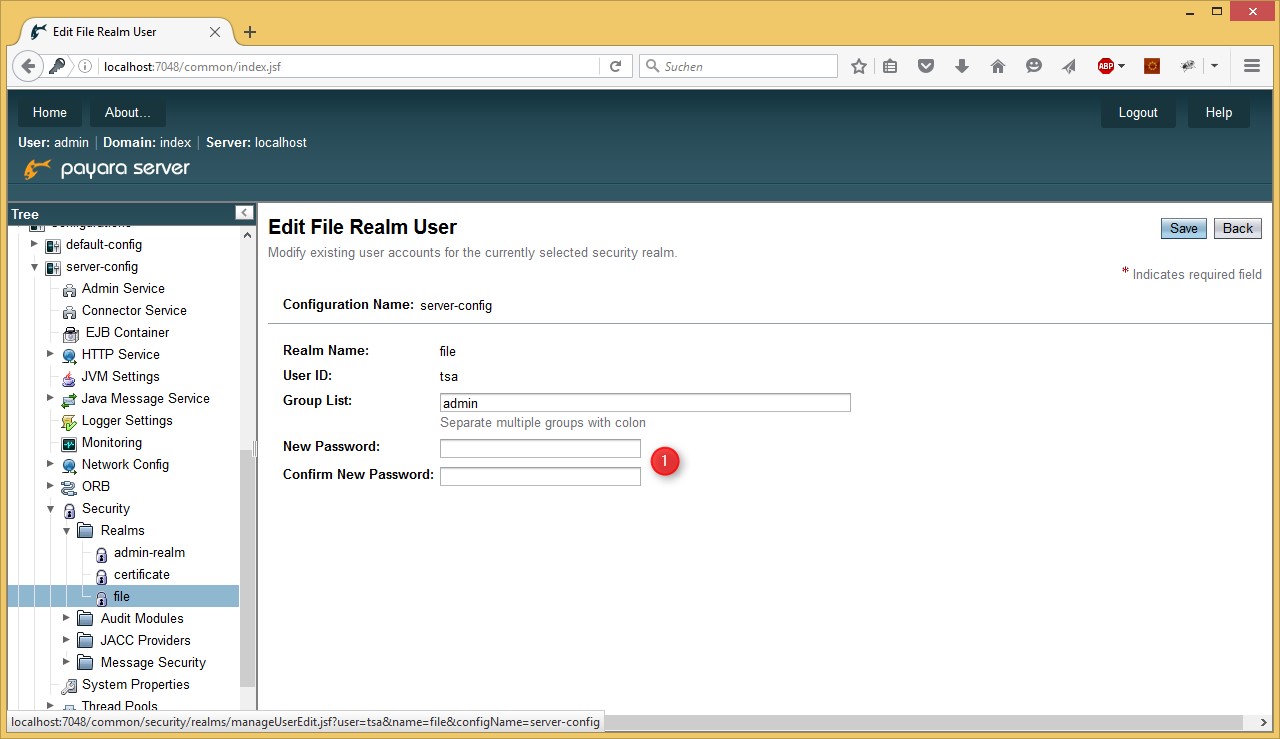
- Here you can change the password
- Changing the ESI token service account password
navigate to /server-config/Security/Realms/file in the lefthand tree and click on Manage Users (5) and
select the token service account name (which has been set during brainwaregroup ESI Setup) from the File Users list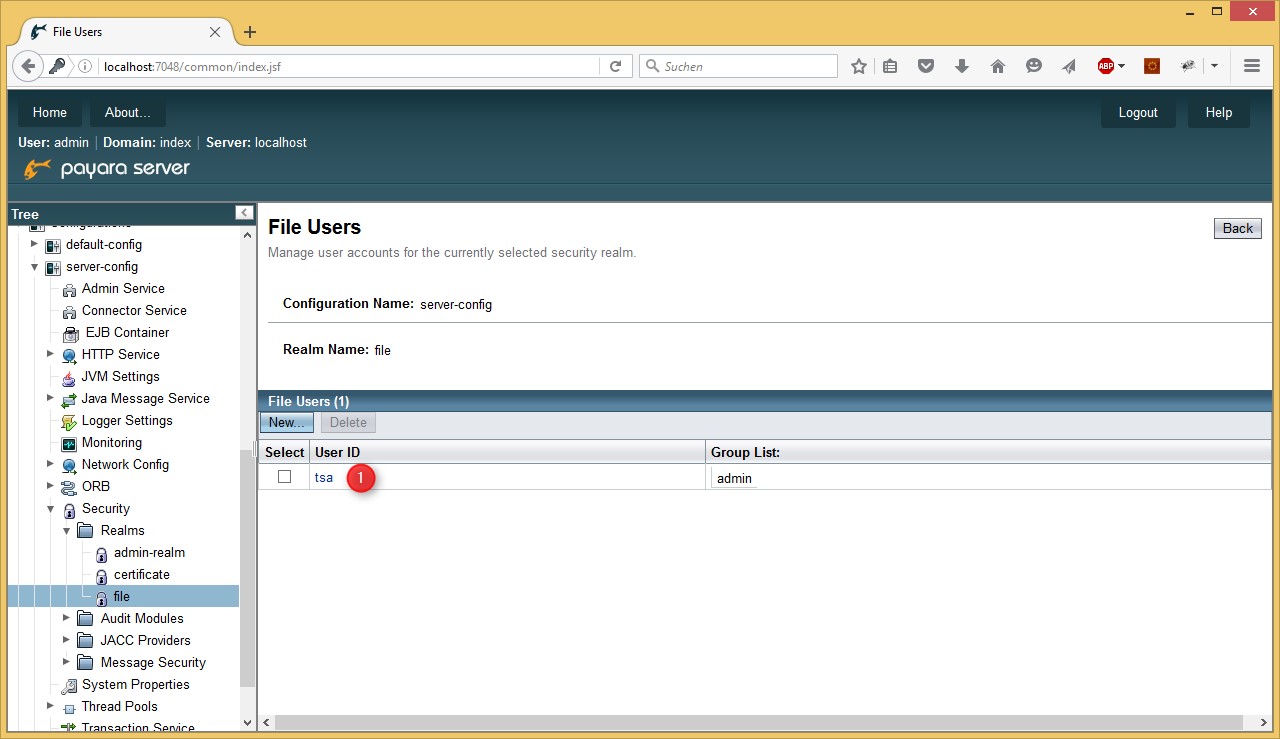
- And again the password can be changed the same way than the admins
IMPORTANT
- Store the passwords in a secure place.
- The new token service account password might be changed as well in Spider LCM and Spider Incident
- Usernames are case sensitive!
- The new token service account password might be changed as well in Spider LCM and Spider Incident
- Usernames are case sensitive!
Products
Applies to ESI4
Was this helpful?






0/255
Upload Attachment
File Upload
Maximum file
size allowed is 3 MB.
Supported file types:
Documents (.txt, .doc, .docx, .pdf), Images (.jpg, .png), Comma Separated Files
(.csv) Speadsheets (.xlsx, .xls)
Are you sure you want to cancel the case creation?
Case closed successfully
File Upload
Maximum file size allowed is 3 MB.
Supported file types:
Documents (.txt, .doc, .docx, .pdf), Images (.jpg, .png), Comma Separated Files
(.csv) Speadsheets (.xlsx, .xls)
Are you sure you want to close this case
| Products | Region | Phone Numbers |
|---|---|---|
| FlexNet Operations FlexNet Embedded FlexNet Publisher FlexNet Connect FlexNet Code Insight InstallAnywhere InstallShield |
North America * |
+1 630-332-2513 (toll) +1 877-279-2853 (toll-free in North America) |
| Europe * |
+44 1925 944367 (toll) +44 800 047 8642 (toll-free in Europe) |
|
| Japan * | +81 3-4540-5335 (select option 2) | |
| Australia * |
+61 3 9895 2177 +61 1800 560 603 (toll-free in Australia) |
|
|
Usage Intelligence (formerly
Revulytics) Compliance Intelligence |
Please use the Case Portal to submit your support ticket or reach out to your Revenera contact. | |
File Upload
Maximum file
size allowed is 3 MB.
Supported file types:
Documents (.txt, .doc, .docx, .pdf), Images (.jpg, .png), Comma Separated Files
(.csv) Speadsheets (.xlsx, .xls)
Revenera Assistant



Case id: 00001065
Activity: Status change: 2 hours ago