

Summary
After an Update to Spider LCM 6.3.4 you cannot start up the Spider application but get an unhandled exception.
Symptoms
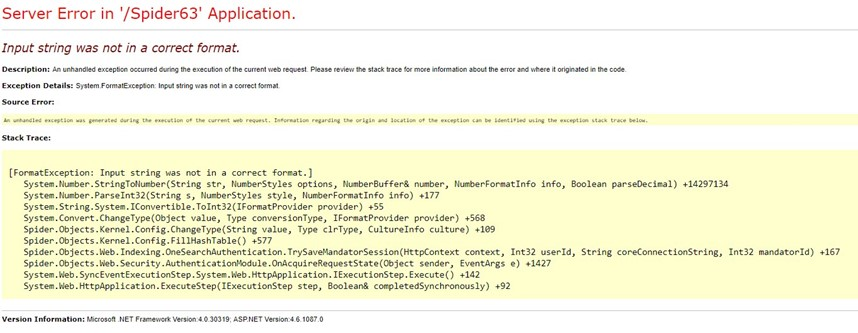
After an Update to Spider LCM 6.3.4 you cannot start up the Spider application but get an unhandled exception:
Server Error in '/Spider' Application. Input String was not in a correct format.
Cause
The problem lies in a missing registry key during the setup leading into one configuration entry being empty (nut NULL)
Resolution
To solve this problem follow these steps:
Method 1:
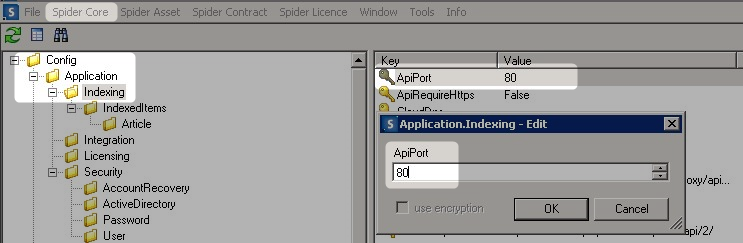
- Open the Spider Admin tool
- Navigate to Spider Core > Config > Application > Indexing
- You will see that the ApiPort has an empty value. Set it to 80
Ignore the FormatException message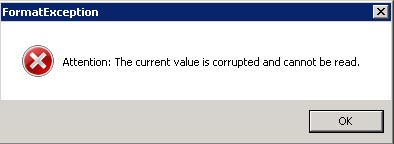
Method 2:
- Open Microsoft SQL Management Studio
- Navigate to the Spider Core database
- Open the Config table for editing
- Change the value of the Key ApiPort in the Area Application.Indexing to 80

Additional Information
If you think you ran in a similar cause (string conversion error) but this is not the config key that causes the problem, run the following SQL statement to get all integer configuration values that are not numeric:
SELECT [Area],[Key],[Value]
FROM [SpiderCore63].[dbo].[Config]
WHERE CLRType = 'System.Int32'
AND ISNUMERIC([Value])=0
Products
LCM6






Are you sure you want to cancel the case creation?
Are you sure you want to close this case
| Products | Region | Phone Numbers |
|---|---|---|
| FlexNet Operations FlexNet Embedded FlexNet Publisher FlexNet Connect FlexNet Code Insight InstallAnywhere InstallShield |
North America * |
+1 630-332-2513 (toll) +1 877-279-2853 (toll-free in North America) |
| Europe * |
+44 1925 944367 (toll) +44 800 047 8642 (toll-free in Europe) |
|
| Japan * | +81 3-4540-5335 (select option 2) | |
| Australia * |
+61 3 9895 2177 +61 1800 560 603 (toll-free in Australia) |
|
|
Usage Intelligence (formerly
Revulytics) Compliance Intelligence |
Please use the Case Portal to submit your support ticket or reach out to your Revenera contact. | |
Revenera Assistant



Case id: 00001065
Activity: Status change: 2 hours ago