

Summary
In case of the PowerShell execution policy being set to "AllSigned", it is necessary to add the publisher of the signing certificate to the trusted publishers store of the local machine.
Symptoms
Setup detects PowerShell execution policy being detected to "AllSigned"
Cause
In case of the PowerShell execution policy being set to "AllSigned", it is necessary to add the publisher of the signing certificate to the trusted publishers store of the local machine.
The Setup will ask you to add the Publisher to the Trusted Publishers store before continuing, this will only place it in the store for the current user, for the certificate to be valid across all accounts of the local machine please follow the instructions below.
Resolution
Warning: It is important that the certificate is imported to the Trusted Publishers of the local machine, not only the user! If it is only imported into the user store it will not be available if the service is running under another account other than the user the Data Collector was installed with.
- Navigate to the file VMware.VimAutomation.Sdk.ps1 file (default: C:\Program Files (x86)\VMware\Infrastructure\PowerCLI\Modules\VMware.VimAutomation.Sdk\), right klick and choose Properties
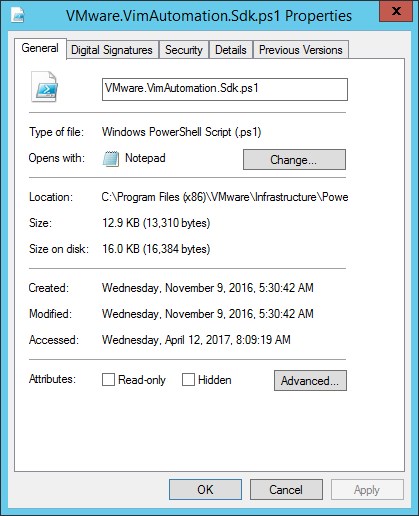
- Choose Tab Digital Signatures
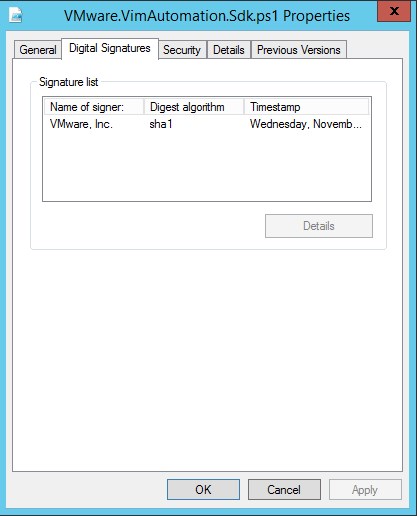
- Click Details
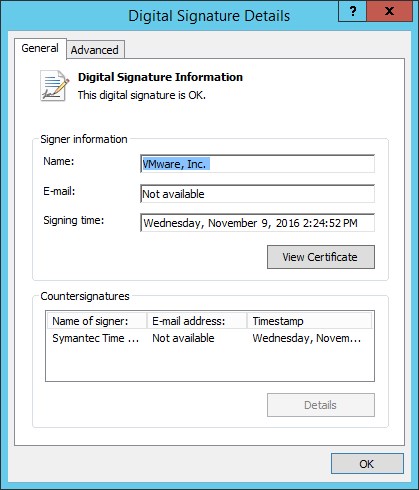
- Click View Certificate
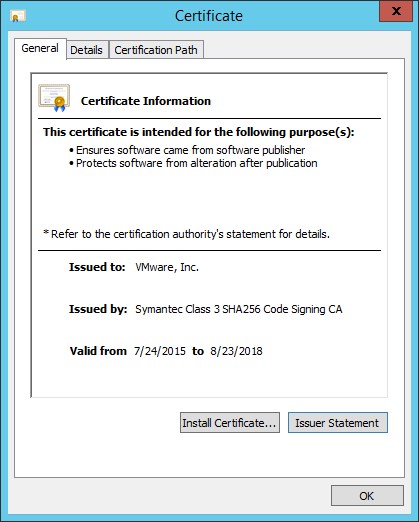
- Click Install Certificate
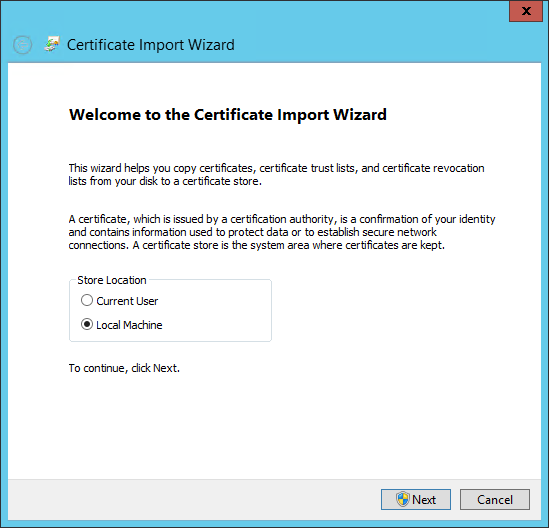
- Choose Local Machine and click Next
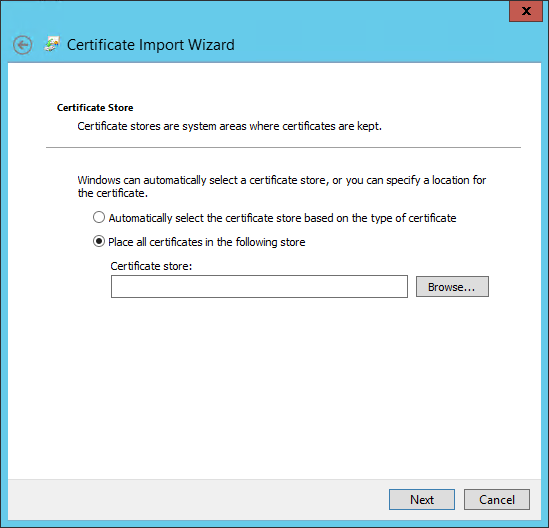
- Choose Place all certificates in the following store and click Browse...
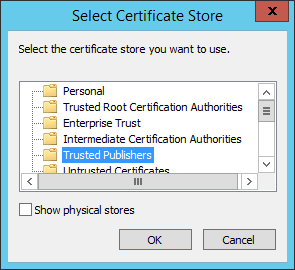
- Choose Trusted Publishers and click OK
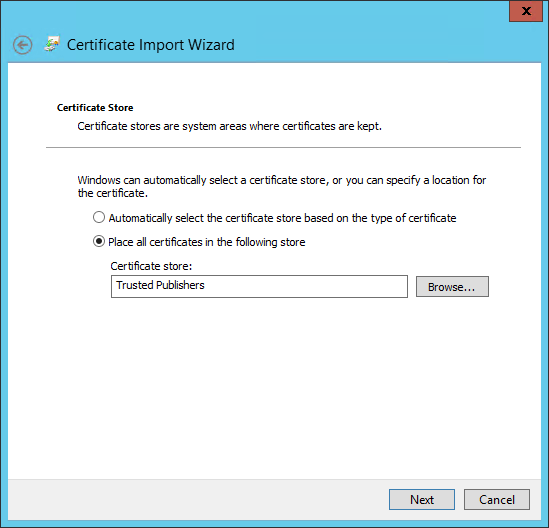
- Click Next
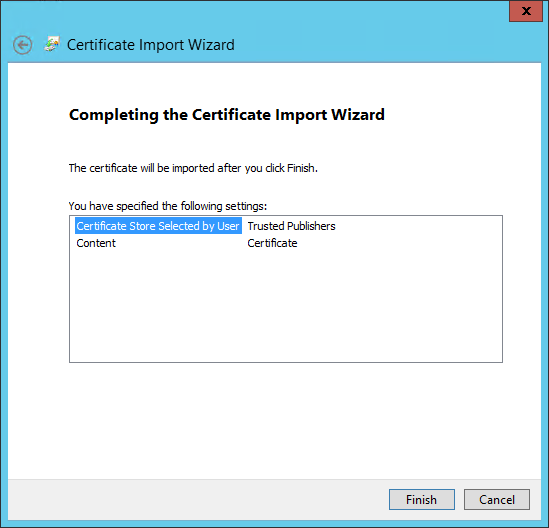
- Click Finish
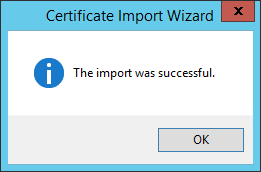
- Close all dialogs by clicking OK until you are back to the following screen
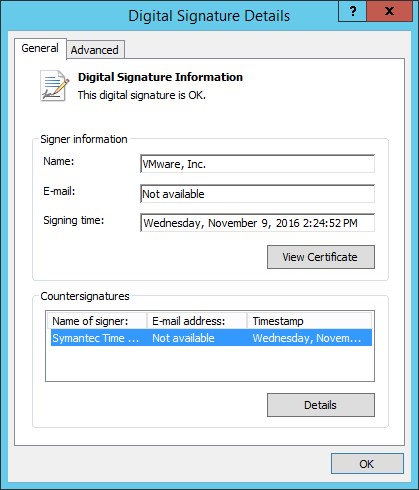
- Highlight the Symantec signature and press Details
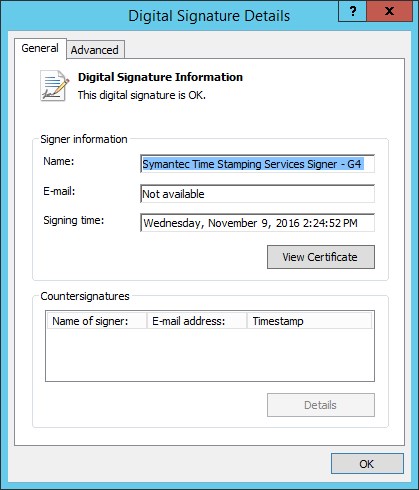
- Click View Certificate
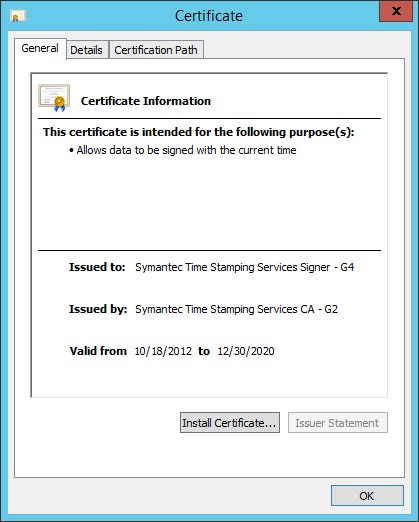
- Click Install Certificate
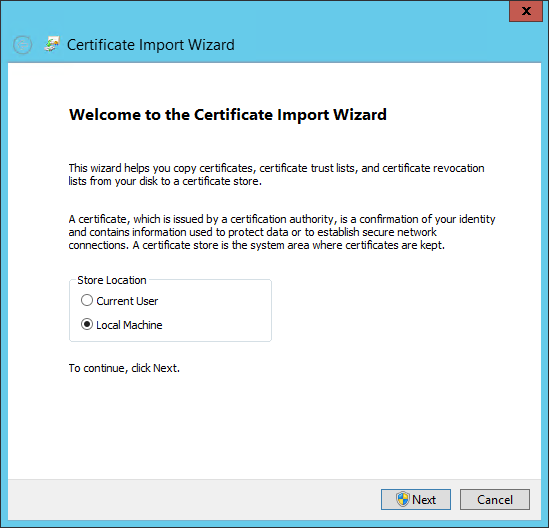
- Choose Local Machine and click Next
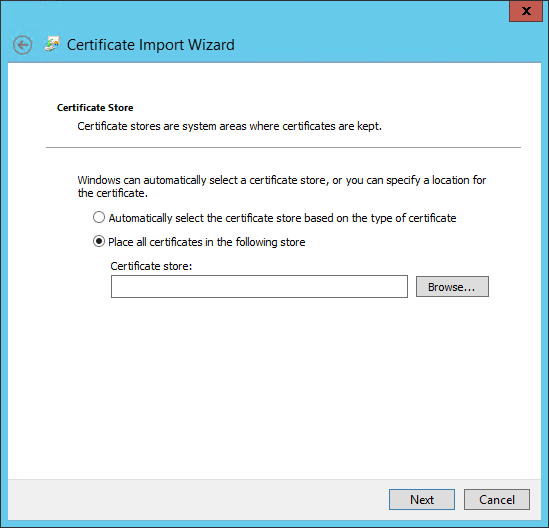
- Choose Place all certificates in the following store and click Browse...
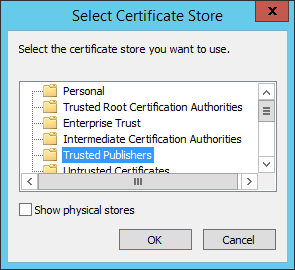
- Choose Trusted Publishers and click OK
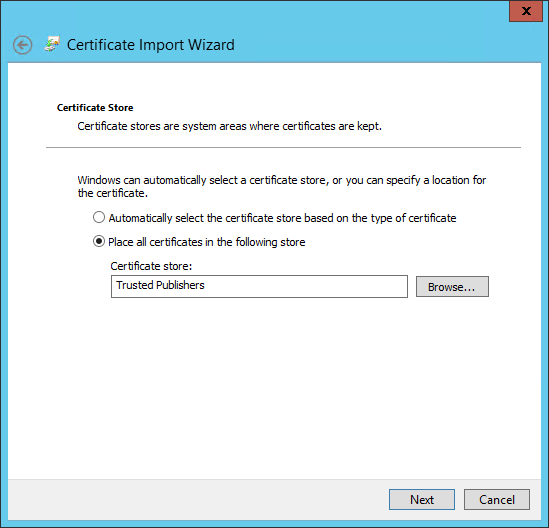
- Click Next
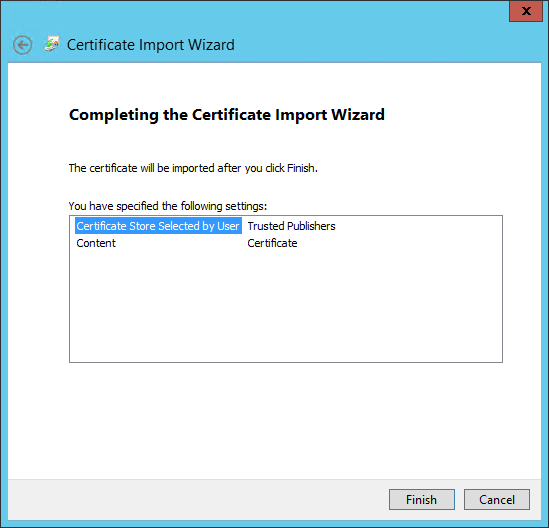
- Click Finish
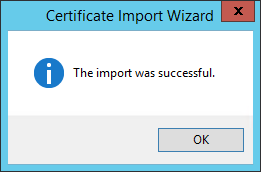
- Done
Additional Information
The command "Get-ExecutionPolicy -List" executed in a PowerShell window, will tell you which policies are activated.
Products
Spider Data Collector (SDC)






Are you sure you want to cancel the case creation?
Are you sure you want to close this case
| Products | Region | Phone Numbers |
|---|---|---|
| FlexNet Operations FlexNet Embedded FlexNet Publisher FlexNet Connect FlexNet Code Insight InstallAnywhere InstallShield |
North America * |
+1 630-332-2513 (toll) +1 877-279-2853 (toll-free in North America) |
| Europe * |
+44 1925 944367 (toll) +44 800 047 8642 (toll-free in Europe) |
|
| Japan * | +81 3-4540-5335 (select option 2) | |
| Australia * |
+61 3 9895 2177 +61 1800 560 603 (toll-free in Australia) |
|
|
Usage Intelligence (formerly
Revulytics) Compliance Intelligence |
Please use the Case Portal to submit your support ticket or reach out to your Revenera contact. | |
Revenera Assistant



Case id: 00001065
Activity: Status change: 2 hours ago