

Summary
After installation or an update of Spider LCM you do get the following errors: Error in application: There is an unspecified error. Please contact your administrator.Symptoms
After installation or an update of Spider LCM you do get the following errors:
Error in application: There is an unspecified error. Please contact your administrator.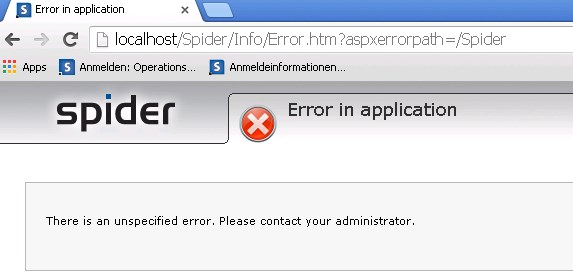
or
(depending on the error settings)
and in the Microsoft Windows Eventlog you will see the following information:

Event code: 4010
Event message: An unspecified security error has ocurred.
Event time: 30.10.2015 07:38:52
Event time (UTC): 30.10.2015 06:38:52
Event ID: d5012fa364bd43dfae1f6a7b11b82011
Event sequence: 6
Event occurrence: 1
Event detail code: 0
Application information:
Application domain: /LM/W3SVC/1/ROOT/Spider-1-130906606955304615
Trust level: Minimal, Low or Medium
Application Virtual Path: /Spider
Application Path: C:\Program Files (x86)\Spider\CoreServer_00\Web\
Machine name: VASTARA
Process information:
Process ID: 5808
Process name: w3wp.exe
Account name: NT AUTHORITY\NETWORK SERVICE
Request information:
Request URL: http://localhost/Spider
Request path: /Spider
User host address: ::1
User:
Is authenticated: False
Authentication Type:
Thread account name: NT AUTHORITY\NETWORK SERVICE
Custom event details:
Cause
This is due to the .NET security restrictions
Resolution
To resolve this issue follow these steps:
- go to the folder
C:\Program Files (x86)\Spider\CoreServer_00\Web
or where your Spider LCM installation is located
- open the file web.config in in a text editor
- locate the entry trust level. If it does not exist locate the entry system.web and place the following configuration entry within this section:
<trust level="Full" />
Structure:<configuration>
<system.web>
<trust level="Full" />
</system.web>
</configuration> - Reset your IIS (e.g.: Command IISRESET)
Additional Information
Microsoft KB Article:
https://msdn.microsoft.com/en-us/library/tkscy493(v=vs.85).aspx
Products
LCM6, HLM6






Are you sure you want to cancel the case creation?
Are you sure you want to close this case
| Products | Region | Phone Numbers |
|---|---|---|
| FlexNet Operations FlexNet Embedded FlexNet Publisher FlexNet Connect FlexNet Code Insight InstallAnywhere InstallShield |
North America * |
+1 630-332-2513 (toll) +1 877-279-2853 (toll-free in North America) |
| Europe * |
+44 1925 944367 (toll) +44 800 047 8642 (toll-free in Europe) |
|
| Japan * | +81 3-4540-5335 (select option 2) | |
| Australia * |
+61 3 9895 2177 +61 1800 560 603 (toll-free in Australia) |
|
|
Usage Intelligence (formerly
Revulytics) Compliance Intelligence |
Please use the Case Portal to submit your support ticket or reach out to your Revenera contact. | |
Revenera Assistant



Case id: 00001065
Activity: Status change: 2 hours ago